Deploy and operate
Environments
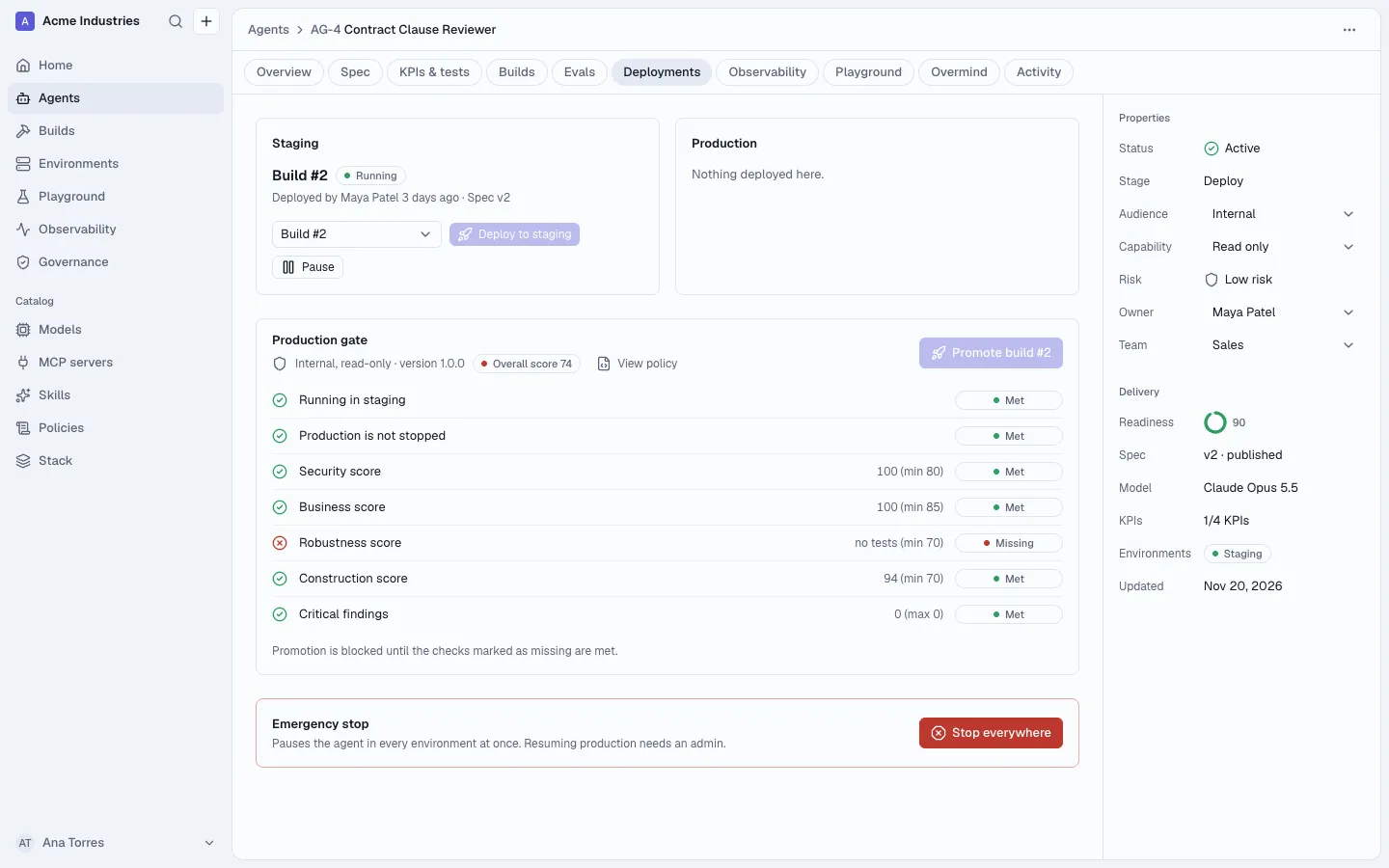
Section titled “Environments”There are two: staging and production. A deployment is one build in one environment, and it is active, paused or rolled back.
The production gate
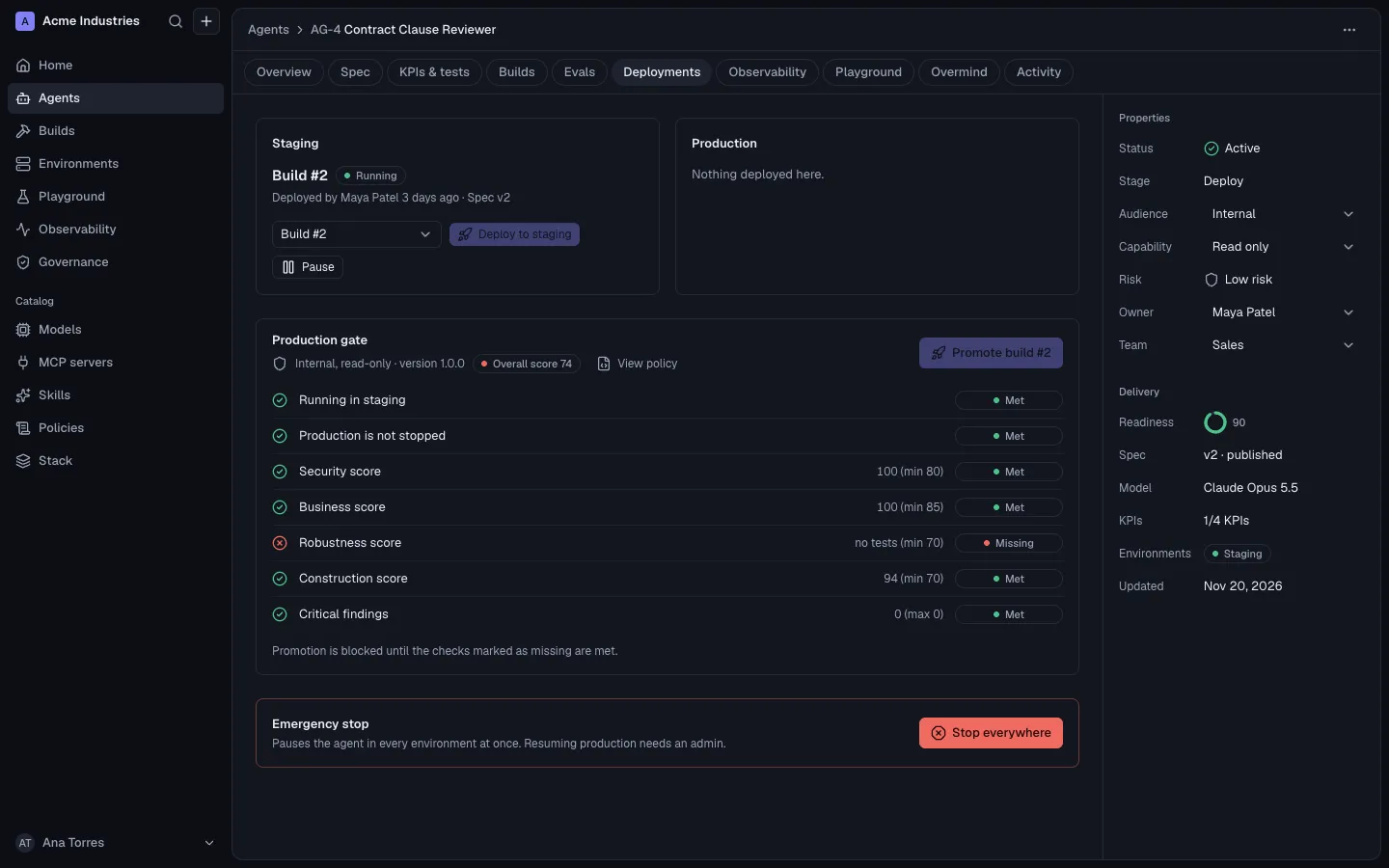
Section titled “The production gate”Promoting a build to production is not a permission; it is a set of conditions that must all hold. They come from the active risk policy template for the agent’s risk level:
- The agent is running in staging.
- Production is not stopped.
- Every evaluation dimension is at or above its minimum.
- There is no critical finding, if the template says critical findings block.
- Measured KPIs are met in staging, if the template asks for it.
- Each role the template names has approved.
The last approval deploys the build.
Risk policy templates
Section titled “Risk policy templates”There is one template per risk level, and templates are versioned. A version is proposed by one person and approved by a different one; the author cannot approve their own change. The defaults ask for more as risk grows:
| Risk | Held-out tests | Approvals | KPIs met in staging |
|---|---|---|---|
| Low | 20% | None | Not required |
| Medium | 25% | Risk | Required |
| High | 30% | Risk | Required |
| Critical | 35% | Risk and the agent’s owner | Required |
You can change every value. The defaults are a starting point.
How a deployed agent runs
Section titled “How a deployed agent runs”Each deployment runs in its own isolated sandbox in the runtime plane, with no credentials inside and no network beyond what it needs. It reaches its tools only through the tool gateway, which applies your policies on every call. See Hosted MCP servers and tool gateway.
An agent nobody has called for a while is paused: its state is saved and its compute released. The next request resumes it where it was. Agents that must answer without that pause can be kept warm. This is why many agents can be deployed on a small runtime pool: capacity follows the agents in use at the same time.
How strongly an agent is isolated follows its risk level: an isolated user-space kernel for low and medium risk, nodes no other customer uses for high risk, hardware virtualisation for critical risk.
Rollback
Section titled “Rollback”A deployment can be rolled back to the previous one.
Emergency stop
Section titled “Emergency stop”The stop works on three levels: one agent in one environment, one agent everywhere, or a whole environment. It always asks for a reason, and the reason is kept with the paused deployment and written to the audit log. Stopping an environment needs the admin role.
Playground
Section titled “Playground”The playground tries an agent in a chosen environment and version. It shows the answer and the trace: steps, tool calls, policy checks, latency, tokens and cost. A try can be saved as a business test.